


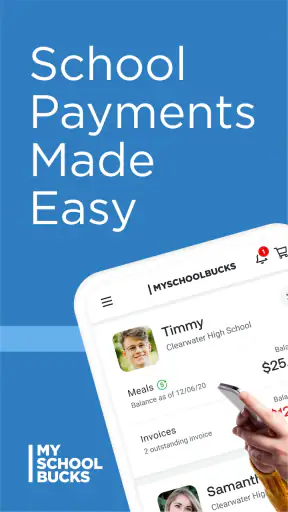

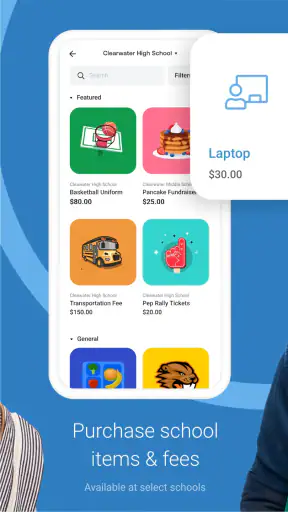

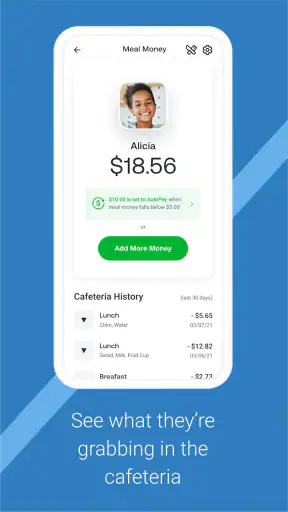
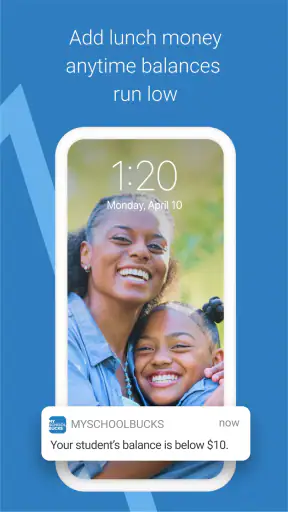

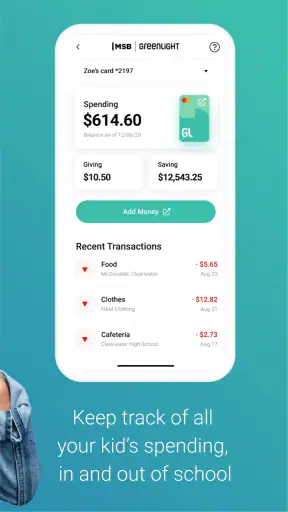
Paying for school meals is one of those small family tasks that becomes surprisingly annoying when it is left until the last minute. MSB Parent is built for that exact job: it is an education app from Global Payments Inc. that lets parents manage school meal payments from a phone instead of relying on paper forms, a school office visit, or a desktop browser. I found its purpose refreshingly narrow. It is not trying to become a general family organizer; it focuses on the money side of school meals.
The app is free, aimed at Everyone, and has passed the point where it feels like an experimental school utility. It has more than a million installs, with an average score of 3.3 from roughly fourteen thousand ratings and about three thousand six hundred written reviews. Those numbers give a useful first impression: many families find it practical, but the experience is not universally smooth. My own view is that it works best when treated as a repeatable household routine rather than an app you open only during a crisis.
How the everyday payment routine feels
The basic workflow is straightforward. I would start by signing in, locating the child or children connected to the school account, checking the available meal balance, and then making a payment when the balance needs attention. The real benefit is not that any one step is complicated; it is that the process can happen while I am already handling other morning tasks. A parent can check the account before leaving home, add funds during a lunch break, or deal with it from the sofa rather than remembering to send cash with a child.
That convenience matters most for families with irregular schedules. If one child eats school meals every day and another brings lunch most of the week, a quick balance check is more useful than guessing how long the money will last. I also like the idea of handling several children from one parent-oriented app rather than keeping separate notes or searching through school emails for instructions. The less mental bookkeeping involved, the less likely a child is to arrive at the cafeteria with an account that needs attention.
There is an important distinction between checking and managing a school meal account and controlling every part of a school’s food program. The app is useful for the parent-side payment task, but the school’s own setup still shapes what appears and how the account behaves. That means the first session should be treated as an account-connection session, not simply as a quick payment. I would have the child’s school details and the parent login information ready, then verify that the right student appears before adding money.
This verification step is a small habit with a big practical payoff. In a household with multiple children, names can be easy to confuse, especially when accounts are created at different times. I would check each child separately and make sure the balance belongs to the intended account. It takes less time than correcting a payment mistake later, and it turns the app from a rushed emergency tool into something dependable.
A realistic family scenario
Imagine a Sunday evening before a busy school week. One child has a full schedule, another has a field trip, and nobody wants to search for coins or complete paperwork in the morning. I would open the app, review the children one by one, and add funds before the week starts. On Wednesday, I would check again rather than waiting for a low-balance surprise. This is where the mobile format earns its place: the task can be fitted into an existing routine instead of becoming a separate errand.
For a parent who only needs to make an occasional payment, the value is still clear, but the app may feel less essential. A school office or a familiar browser process can be perfectly adequate if payments are rare. The strongest case for MSB Parent is for households that want a quick, repeatable way to stay aware of meal accounts without depending on a child to report what happened at school.
Settings and account checks worth doing early
I would not rush past the account and notification choices during setup. The useful settings are the ones that reduce future remembering: anything related to account visibility, student selection, and balance awareness deserves a careful look. The exact options available can depend on how the school has configured its meal program, so I would judge the screen by what is actually offered rather than assuming every school account works identically.
If the app presents low-balance reminders or other account alerts, I would use them as a safety net rather than as the only system. A reminder is helpful, but it is not a substitute for checking the account before a particularly busy week. Families often have different spending patterns from one week to the next, and a setting that works during a normal month may not be enough around holidays, exams, or school activities.
Another worthwhile check is whether the selected student and school information remain correct after signing in again. This is especially sensible after a child changes schools, moves between programs, or is added to a family account. The app’s usefulness depends on the account connection being right, so a minute spent reviewing it can prevent the frustrating experience of thinking a payment was handled when it was attached somewhere else.
I would also keep the app updated. The current version is 26.7.0.917, and the minimum requirement is iOS or Android 11. That requirement is not demanding for a recent phone, but it matters if a parent is using an older device kept as a backup. Before relying on the app for a time-sensitive payment, I would install it on the phone that will actually be used and confirm that it opens properly, rather than discovering a compatibility problem on a school morning.
Shortcuts that make repeat payments less tedious
The fastest users are not necessarily tapping quickly; they are reducing the number of decisions they make each time. I would create a simple household rhythm: check balances on one chosen day, review every child in the same order, and make payments before the account becomes urgent. This avoids repeatedly wondering which child needs attention and turns the app into a checklist.
For multiple children, I would avoid treating the first visible account as the whole job. After reviewing one student, deliberately move through the other linked accounts and confirm that each one has been considered. This is a more reliable pattern than making a payment and closing the app immediately. The extra review is particularly useful when children have different meal habits or when one account is used much more quickly than another.
A second useful pattern is separating monitoring from troubleshooting. If the balance looks normal, finish the routine. If the student list or account information looks wrong, stop and resolve that issue before adding money. Mixing those two tasks while distracted creates unnecessary uncertainty. I prefer a rule of thumb: never make a payment until the selected child is unmistakable.
It is also sensible to keep payment records in the same place as other school information. I would not rely on memory alone, especially if more than one adult contributes to school expenses. A parent can note the date and child in a household finance app or calendar after completing the transaction. That is not an extra feature of MSB Parent, but it is a practical companion habit that makes shared responsibility easier and helps explain where school-meal money went.
When the school year changes, I would perform a deliberate reset instead of assuming the old routine still fits. Review the student accounts, check whether the school information is current, and confirm that the payment workflow still matches the family’s needs. This is one of those low-effort habits experienced users develop: they do not wait for an error to reveal that an old account arrangement is no longer suitable.
Where the app is genuinely useful
MSB Parent is a strong fit for parents who want mobile access to school meal payments and who prefer handling routine tasks independently. It is particularly practical for families with more than one child, parents who travel or work away from a desk, and households where school mornings are already crowded. The free price also removes the usual hesitation about trying a focused utility, although the payment itself is naturally separate from the app being free.
The education category is appropriate because the app supports a school-related responsibility rather than teaching a subject. That narrow purpose is a strength. I did not expect a broad dashboard of academic information, and I would not choose it for attendance, grades, classroom messages, or lunch menus unless the relevant school system separately connects those services. Its job is much more specific: help a parent manage the funding side of school meals.
It can also be useful for a parent who wants a clearer boundary between household money and school expenses. Checking the meal account directly is better than asking a child to remember a balance or assuming that a previous payment lasted longer than it did. The app creates a practical checkpoint, even if the parent still needs a separate method for tracking the family budget as a whole.
On the other hand, I would skip it if the child’s school does not use the service or if the family already has a reliable payment method that is faster in practice. A dedicated app is not automatically better than a school portal. If opening a browser bookmark takes fewer steps and provides the same account access, there is no reason to force a mobile workflow. The right choice depends on which method the parent will actually remember to use.
Limitations that affect the experience
The 3.3 average rating suggests that convenience is balanced by real friction for some users. A school payment app is judged harshly because parents often open it when something is urgent: a balance is low, a payment needs to happen before school, or a child’s account is unclear. Any sign-in problem, account mismatch, or confusing school connection feels more serious in that moment than it would in a casual app.
That is why I would not wait until the last evening of a holiday weekend to create an account or test the payment process. Set it up when there is time to read each screen and resolve questions. Once the account is working, the routine should be easier, but the first-use experience deserves patience. This is a practical trade-off with many school-specific services: setup can be more important than the number of buttons in the interface.
The app is also not a replacement for communication with the school. If a balance appears wrong, a student is missing, or a payment does not seem to have the expected effect, the school’s meal office may still be the right place to clarify the account. I would keep any confirmation details available and avoid making a second payment simply because the screen was unclear. Duplicate payments are an avoidable risk when a parent reacts before checking the account history or contacting the responsible office.
Another limitation is that mobile convenience can encourage overconfidence. Seeing an account on a phone does not mean every school-related charge or meal rule is represented in exactly the same way. Parents should still pay attention to the student account they are viewing and any information supplied by the school. The app simplifies access; it does not remove the need to understand which child and program are being funded.
How it compares with ordinary alternatives
The usual alternatives are sending cash, using a paper payment process, visiting the school office, or signing in through a browser. Cash can be familiar, but it depends on the child carrying it and the school handling it correctly. Paper methods are workable for families who plan well, yet they are less convenient when a balance needs attention unexpectedly. A school office can answer questions directly, but office hours and travel make it a poor fit for every parent.
A browser portal may be the closest competitor. It can be preferable for someone who manages all school accounts from a computer, wants a larger screen, or dislikes installing a separate app. MSB Parent has the advantage when the parent is already using a phone and wants to check or manage the account without finding a laptop. In my experience, the better option is the one that fits the family’s existing habit, not the one with the most modern presentation.
Compared with a general budgeting app, MSB Parent is more focused but less comprehensive. A budgeting app may help track total school spending, while this service is intended for the school meal account itself. I would use both if detailed household budgeting mattered: the meal-payment app for the transaction and the budget tool for the wider financial picture. Expecting one to replace the other would lead to disappointment.
Who should use it and who should think twice
I would recommend trying MSB Parent to a parent whose school supports it and who regularly needs to monitor meal funds. The case is strongest when there are multiple children, changing schedules, or two adults sharing responsibility. The app’s free access and Everyone rating make it approachable for a broad family audience, while its mobile format suits parents who do not want school payments tied to a desktop.
I would think twice if payments are rare, the school’s browser portal is already effortless, or the parent is using a phone that cannot meet the iOS or Android 11 requirement. I would also avoid depending on it as the only record of household school expenses. Its focused design is helpful, but that same focus means it is not a full school-management or family-finance solution.
My best advice is to judge it after establishing a calm routine, not after a rushed first attempt. Install it, connect the correct student accounts, review the available settings, and perform one ordinary balance check before an urgent payment is needed. If the process becomes predictable, it has earned a place in the family’s weekly checklist. If it creates more confusion than the school’s existing alternative, there is no advantage in keeping it merely because it is mobile.
My final take on MSB Parent
MSB Parent does one practical thing and does it for a reason many parents understand immediately: school meal payments should not require a special trip or a frantic search for cash. Developed by Global Payments Inc., it gives families a focused way to handle that responsibility from a phone, and its large install base shows that the use case is meaningful to many households.
I like it most as part of a repeatable system: check each child in order, confirm the account before paying, use available reminders thoughtfully, and keep a separate household record when needed. Those habits matter because the app cannot solve every school-account problem on its own. It is a tool for access and convenience, not a guarantee that every school setup will feel identical.
The modest average rating is a fair reminder to keep expectations realistic. This is not an app I would install for entertainment or broad school management, and it is not automatically better than a dependable web portal. But for a parent whose school supports the service and who wants a simple mobile route to meal-account payments, I think it is worth trying. Its real strength is turning a recurring school obligation into a small, manageable routine.


